



Steinberg SpectraLayers Pro 13 Crossgrade
Artikelnummer 1098609Steinberg SpectraLayers Pro 13 Crossgrade, för ägare av Acon Digital Acoustica 7.x eller senare Premium Edition eller Post Production Suite (ej Standard), Adobe Audition Single App eller Creative Cloud-prenumeration, iZotope RX 8 eller senare Standard, Advanced eller Post Production Suite (ej Elements)

Steinberg SpectraLayers Pro 13 – Professionell spektral ljudredigering och ljudrestaurering
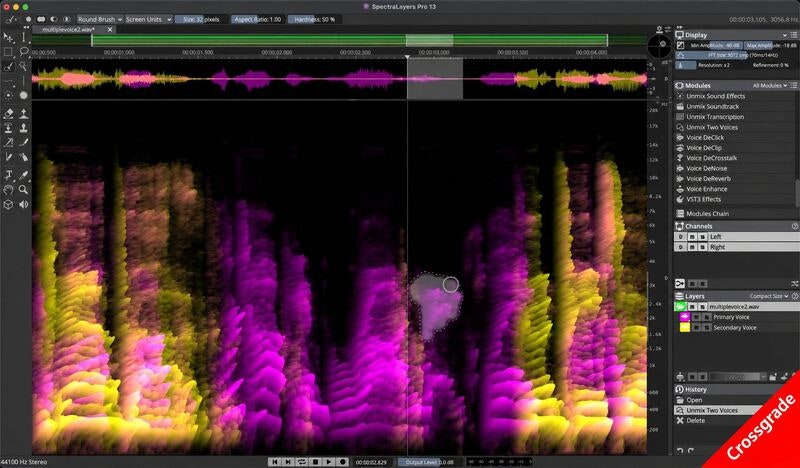
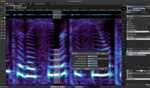
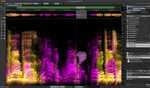
Steinberg SpectraLayers Pro 13 är ett avancerat program för spektral ljudredigering, ljudrestaurering och kreativ ljudbearbetning. Med kraftfull AI-baserad ljudseparation, detaljerad spektral redigering och ett flexibelt lagerbaserat arbetsflöde får du möjlighet att analysera, isolera och bearbeta enskilda ljudkomponenter i komplexa inspelningar.
SpectraLayers Pro 13 är utvecklat för musikproduktion, ljuddesign, podcastproduktion, filmljud och professionell postproduktion. Programmet gör det möjligt att separera sång och instrument, reducera störande bakgrundsljud, förbättra dialog och återställa skadat ljudmaterial med hög precision.
AI-baserad ljudseparation och spektral redigering
Med avancerade AI-algoritmer kan SpectraLayers Pro 13 dela upp en färdig ljudmix i separata komponenter. Isolera sång, trummor, bas och andra instrument för remixning, redigering eller restaurering. Den lagerbaserade arbetsmiljön gör att varje ljudkomponent kan bearbetas individuellt.
Den nya funktionen Unmix Sound Effects separerar korta ljudeffekter från kontinuerliga bakgrundsljud och atmosfärer, vilket ger ökad kontroll vid exempelvis film- och TV-produktion.
Avancerad ljudrestaurering och dialogbearbetning
SpectraLayers Pro 13 introducerar flera verktyg för att förbättra tal och återställa ljud. Voice DeClick reducerar störande munljud, medan Voice DeCrosstalk hjälper till att isolera huvudtalaren från andra röster. Unmix Two Voices kan separera två överlappande röster för individuell bearbetning.
Ambience Heal fyller automatiskt ut luckor i bakgrundsatmosfären och Reconstruct återsyntetiserar utvald spektral information. Den förbättrade DeNoise-funktionen ger ytterligare möjligheter att reducera oönskat brus.
Effektivt arbetsflöde för professionell ljudproduktion
Med förbättrade redigeringsverktyg, automatisk nivåanalys, batchbearbetning och avancerade urvalsfunktioner kan både komplexa restaureringsprojekt och kreativa ljudbearbetningar utföras effektivt.
ARA 2-integration möjliggör ett smidigt arbetsflöde med kompatibla DAW-program som Cubase och Nuendo. För Pro Tools finns förbättrat stöd för AudioSuite Bridge med round-trip-redigering och bearbetning av flera ljudklipp.
Huvudfunktioner
- Professionell spektral ljudredigering och restaurering
- AI-baserad separation av sång, trummor, bas och instrument
- Unmix Sound Effects – separerar ljudeffekter från bakgrundsatmosfärer
- Unmix Two Voices – separerar två överlappande röster
- Voice DeClick – reducerar störande munljud
- Voice DeCrosstalk – isolerar tal från andra röster
- Ambience Heal – återställer luckor i bakgrundsljud
- Reconstruct – återsyntes av spektral ljudinformation
- Attenuate – reducerar dominerande ljudkomponenter
- Förbättrad DeNoise och Unmix Components
- Lagerbaserad ljudredigering med hög precision
- Level Check för nivå- och loudnessanalys
- Batchbearbetning av flera projekt
- Flexibla fade- och markeringsverktyg
- ARA 2-integration med kompatibla DAW-program
- Förbättrad integration med Pro Tools AudioSuite
- Kompatibel med Windows och macOS
Tekniska specifikationer
| Produkt | Steinberg SpectraLayers Pro 13 |
|---|---|
| Produkttyp | Programvara för spektral ljudredigering och restaurering |
| Användningsområden | Musikproduktion, ljudrestaurering, ljuddesign, postproduktion |
| Ljudbearbetning | AI-baserad ljudseparation och spektral redigering |
| Maximal samplingsfrekvens | 384 kHz |
| DAW-integration | ARA 2, VST3 ARA, AAX ARA |
| Operativsystem | Windows 10/11, macOS 12 eller senare enligt kompatibilitetskrav |
| Arbetsminne | Minst 8 GB RAM, 16 GB rekommenderas |
| Ledigt diskutrymme | 8 GB för temporära filer |
| Skärmupplösning | Minst 1280 x 720 |
| Leverans | Digital mjukvarulicens |
Vanliga frågor (FAQ)
Vad är Steinberg SpectraLayers Pro 13?
SpectraLayers Pro 13 är en professionell programvara för spektral ljudredigering som används för att separera, reparera och bearbeta enskilda ljudkomponenter i inspelningar.
Kan SpectraLayers Pro 13 separera sång och instrument?
Ja, med AI-baserad ljudseparation kan programmet dela upp inspelningar i separata lager med exempelvis sång, trummor, bas och andra instrument.
Kan SpectraLayers Pro 13 ta bort bakgrundsbrus?
Ja, programmet innehåller avancerade verktyg för brusreducering, ljudseparation och restaurering som kan minska störande bakgrundsljud.
Kan SpectraLayers Pro 13 separera två röster?
Ja, funktionerna Unmix Two Voices och Voice DeCrosstalk kan användas för att separera överlappande röster och förbättra tydligheten i dialog.
Fungerar SpectraLayers Pro 13 med Cubase och andra DAW-program?
Ja, SpectraLayers Pro 13 har stöd för ARA 2 och kan integreras med kompatibla DAW-program, inklusive Cubase, Nuendo och versioner av Pro Tools med stöd för funktionen.
Fungerar SpectraLayers Pro 13 på Windows och Mac?
Ja, programmet är kompatibelt med Windows och macOS enligt Steinbergs aktuella systemkrav.
Relaterade Produkter
-

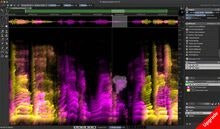
Steinberg SpectraLayers Pro 13 Upgrade from Elements 13
Artikelnummer 10997102723 kr/stKöp -
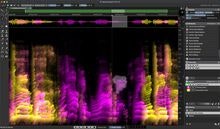
Steinberg SpectraLayers Pro 13 Fullversion
Artikelnummer 10928623504 kr/stKöp -
Steinberg SpectraLayers Pro 13 - 365
Artikelnummer 10986071649 krKöp -
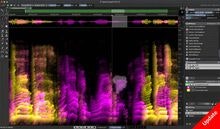
Steinberg SpectraLayers Pro 13 Update from Pro 8 or earlier
Artikelnummer 10997141651 kr/stKöp -
Steinberg SpectraLayers Pro 13 Update from Pro 9-11
Artikelnummer 10997131430 kr/stKöp -
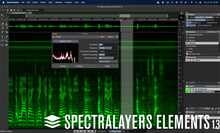
Steinberg SpectraLayers Elements 13
Artikelnummer 1092859878 kr/stKöp -
Acon Acoustica 8 Ultimate UPG 7 PRM
Artikelnummer 10989892502 krKöp -
iZotope Neutron 5 Crossgrade
Artikelnummer 10875952390 kr/stKöp
Andra Köpte
-
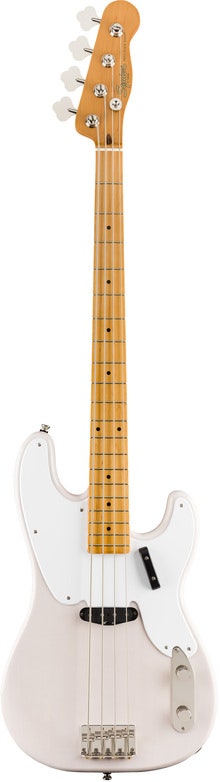
Squier Classic Vibe 50s PBass Maple White Blonde
Artikelnummer 10622376199 kr/stKöp -
Eventide Omnipressor® 2830Au 50th Anniversary Edition
Artikelnummer 108262122190 kr/stKöp -

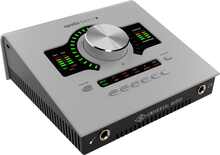
UA Apollo Twin X QUAD, UAD Analog Classics Pro Gen 2
Artikelnummer 109709216999 krKöp -
Moog MF-101S
Artikelnummer 1083294865 kr/stKöp -
Seymour Duncan Quarter Pound Strat Set
Artikelnummer 10904653997 kr/stKöp -
Elektron Tonverk
Artikelnummer 109320313490 kr/stKöp -

Ernie Ball 5361 Western Rose
Artikelnummer 1081732360 kr/stKöp -
Roland GO:Keys 5 White
Artikelnummer 10847405111 kr/stKöp